
Cinematic Multi-Character Continuity Bible

About This Skill & Architecture
Standardized character tokenization rules for maintaining persistent actor face geometry, hairstyle, wardrobe styling, and lighting tone across 10+ scene storyboards. Includes prompt variables compatible with Midjourney v6.1, Kling 1.5, Runway Gen-3 Alpha, and OpenAI Sora.
Included Architecture
- Persistent character seeds & facial anchor token specifications
- Multi-character interaction blocking rules & angle continuity ratios
- 35mm anamorphic camera motion prompts for cinematic scene pacing
How to Use This Skill
Download Package
Grab the .skill or .zip bundle from the sidebar.
Load into AI Tool
Import rules into Claude, Cursor, Antigravity, Midjourney, Kling, or Sora.
Run Generations
Execute prompts with synchronized style, tokens, and camera staging.
Benchmark Output Results
Real benchmark generation frames created with this skill pack demonstrating visual fidelity, character continuity, and lighting consistency.


Skill Package Files
Packages all prompt specifications, continuity tokens, and documentation into a single zip file.
Official Video Walkthrough
Watch creator walkthrough covering practical setup, model presets, and troubleshooting.
Character Continuity GuideAll packages are hosted directly on our high-speed edge CDN without rate limits, paywalls, or forced account creation. Direct, immediate downloads for creators worldwide.
Related Skills in Cinematic
Explore complementary AI video prompt modules, character guidelines, and motion engines.

Vidraft AI Cinematic Movie/Film Engine
Vidraft AI Cinematic Movie Engine is a complete, 8-stage AI-movie production pipeline built as a single Claude skill (or portable prompt file). Instead of juggling separate prompts for story writing, storyboarding, character design, and image/video generation, this one skill walks you through the entire creative pipeline — from a blank idea to a fully production-ready package — while keeping every character, creature, location, and visual detail consistent from the first scene to the last. It’s built for creators making cinematic AI movies for YouTube: fantasy, sci-fi, monster/creature, survival, horror, supernatural, post-apocalyptic, and ancient-civilization stories. What it can generate: ✅ 10 Viral Video Ideas — clickable, movie-style topic concepts tailored to your channel niche. ✅ A Complete Cinematic Story — a 5-act, emotionally driven movie script with a scroll-stopping opening, built from your rough idea or from scratch. ✅ A Full Scene Breakdown — a production blueprint: scene-by-scene camera, lighting, dialogue and sound notes, character/location/creature continuity sheets, emotional pacing, suspense tracking, and 8-second-clip estimates. ✅ Photorealistic Character & Creature Reference Prompts — fixed visual identities with master image prompts, face references, and “consistency locks” so every character looks the same in every scene. ✅ Scene-by-Scene Image Prompts — delivered in 4 parts, copy-paste ready for any AI image generator, matching your cast and story exactly. ✅ Image-to-Video Prompts — motion, camera movement, and full audio/sound-design direction for every ~8-second clip, also delivered in 4 parts. ✅ A High-CTR Thumbnail Prompt — one clickable, cinematic thumbnail concept built around your story’s biggest unanswered question. ✅ A Full YouTube SEO Package — 5 title options, a description, and tags.
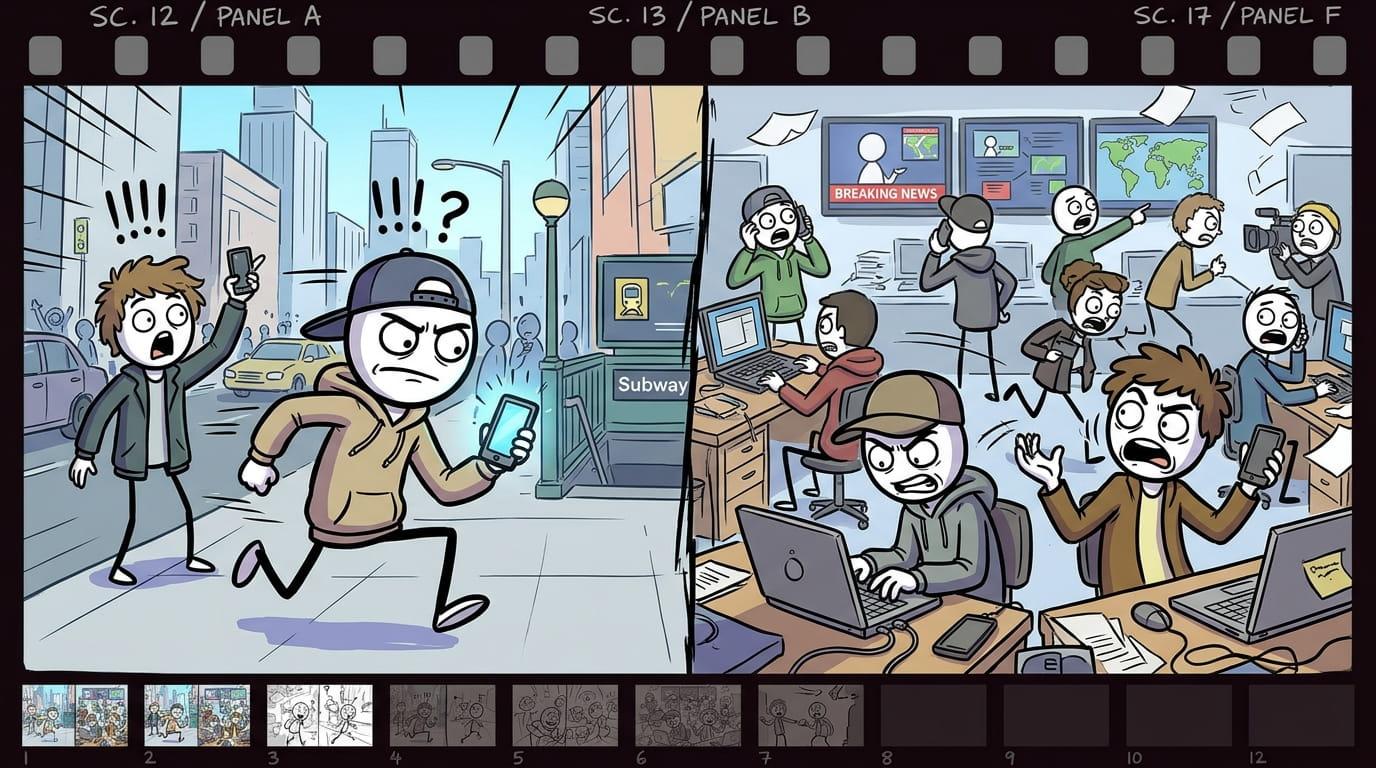
Modern Stickman Documentary Engine
Modern Stickman Documentary Engine turns a topic, a pasted script, or a single custom scene into a full documentary-style video package. It writes a proven YouTube narration formula (cold open, anthology chapters, escalating stakes, named people, a dark-humor beat) in short 8-10 word lines, then converts every line into a matching cartoon stick-figure image prompt. Every prompt follows one locked visual template — same opening, same pacing, same closing structure — so the whole video stays visually consistent from scene 1 to the last scene, no matter how long the script runs. ### How to Use - Start the skill and answer the opening question: do you have a custom scene, your own script, or do you want one generated? - No script? Say “generate it” → give a topic, or ask for topic suggestions by category (turn on web search for fresh, current options) → pick one. - Choose length: a 1-2 min reel (short script, 200 words) or a 6-10 min long video (longer script, delivered in 2 parts — say “go”/”continue” to get part 2). - Have your own script? Just paste it. Either way, before any images are made you’ll be asked for the setting (modern city, corporate office, tech industry, stock market, social media world, rural village, war zone, etc.) — this stays locked for the whole video. - Image prompts are generated one per script line, labeled scene 1 (line text), scene 2 (line text)... Longer scripts are delivered in batches of 30 — say “continue” to get the next batch. > Tip: soldiers/police/guards automatically get combat helmets; everyone else gets a cap or normal hair — this happens on its own, no need to specify. Use the labeled prompts in your image generator of choice, one at a time or in order, to storyboard the full video. > Tip: use one image-generation tool and one consistent aspect ratio for every scene in a single video.
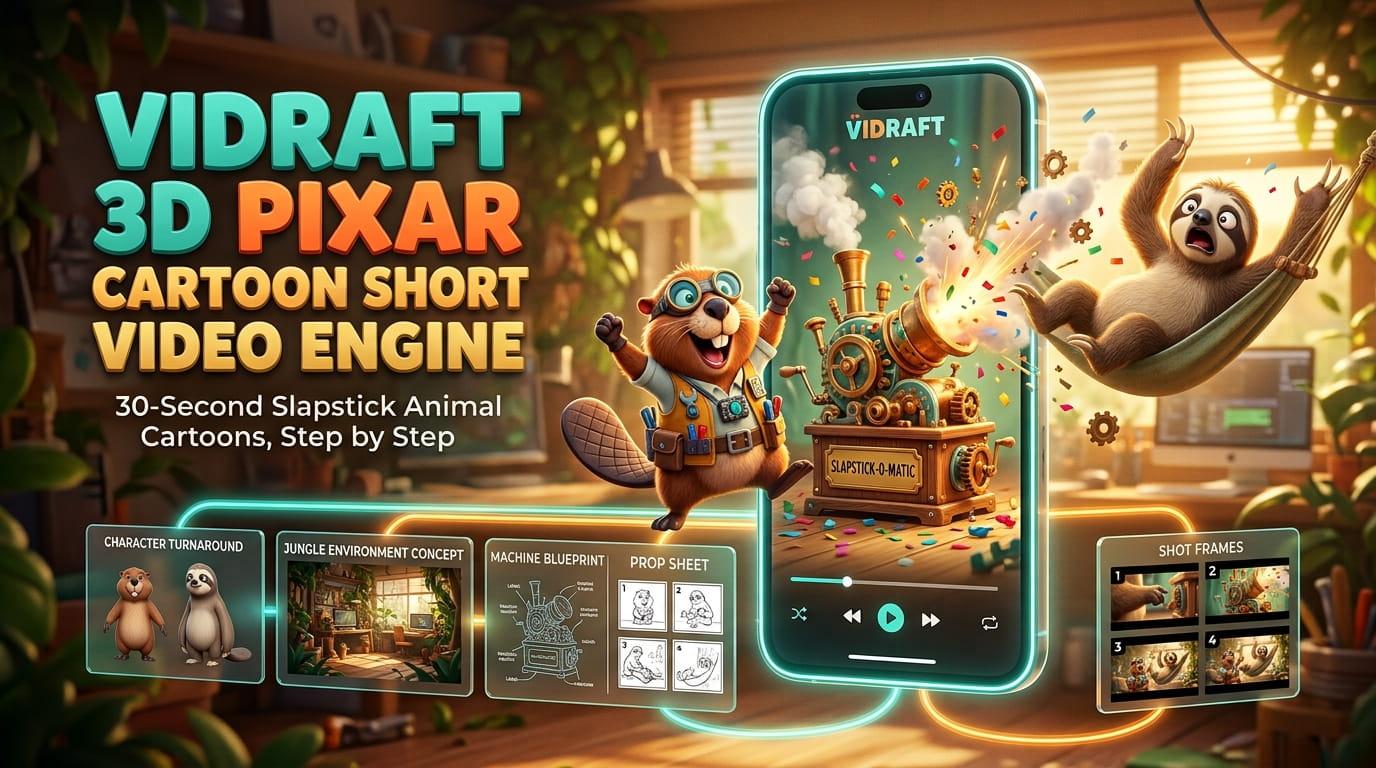
3D Pixar Animal Cartoon Chaos Short Video Engine
Vidraft 3D Pixar Cartoon Short Video Engine guides you step by step through creating a complete 30-second slapstick animal cartoon. 👉🏻 Pick two animal characters and the engine generates their model sheets, funny story ideas, a shot-by-shot script, environment and prop sheets, image-to-video prompts with dialogue, and a ready-to-post caption with meta details and hashtags. 👉🏻 Just type "next" to move through each stage. It works with tools like Nano Banana, Midjourney, Luma, Kling, Runway and Omni Flash, and is ideal for YouTube Shorts, Instagram Reels and TikTok.
Explore Related Video & Creator Resources
Level up your production pipeline with free video utilities, AI voice generators, and comprehensive guides.
Looking for more AI video prompts & skills?
Explore our full directory of community and production-ready prompting packages.